

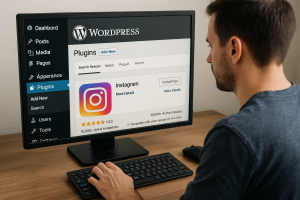
 If you want to grow your Instagram following, your WordPress site can play a significant role in helping you achieve this goal. Instead of just linking to your profile, you can embed your feed directly on your site, turning your blog readers, customers, or casual visitors into Instagram followers. But you need the right tools to do it. Some users also explore how to buy followers on Instagram as a shortcut to boost visibility, though this should be approached carefully and ethically alongside organic growth strategies.
Several WordPress plugins make this easy. They let you display your Instagram content, customize its appearance, and even add features like follow buttons and pop-ups. Below are three of the best options—Smash Balloon, Spotlight, and Feed Them Social—with a breakdown of what makes each one worth considering.
1. Smash Balloon Social Photo Feed
Best for: Customizing the appearance of your Instagram feed on your site.
Smash Balloon is reliable, well-supported, and packed with features that help you showcase your Instagram posts without slowing down your site. The design options are flexible—you can change layout styles (grid, carousel, or masonry), choose how many posts to display, and adjust padding, colors, and font settings to match your site’s style.
Standout features:
- Multiple layout options (grid, carousel, etc.)
- Load more buttons and infinite scroll
- Lightweight and optimized for speed
- Responsive out of the box (looks good on mobile)
How it helps grow followers:
Smash Balloon makes your Instagram feed a seamless part of your website. Visitors can browse your posts without leaving your site—and with a clear “Follow” button in view, it’s easy for them to connect with you on Instagram.
Example use case: A fashion blogger adds a “Shop My Instagram” section to her homepage, showcasing her latest outfits with links to follow or purchase.
2. Spotlight – Social Photo Feeds
Best for: Beginners who want a simple way to display and manage Instagram feeds.
Spotlight is built for ease of use. You don’t need to touch any code—connect your Instagram account, choose a layout, and drag it into your page with the built-in block or shortcode. What sets Spotlight apart is its live preview feature, which shows you exactly what the feed will look like before you publish it.
This plugin is especially beneficial if you want to utilize Instagram to establish trust. It allows you to create feeds featuring real customer photos, testimonials, or branded content, helping new visitors see how others interact with your brand.
Standout features:
- Live preview and drag-and-drop design
- Connect multiple accounts
- Hashtag filtering
- Popup lightboxes for individual posts
How it helps grow followers:
Spotlight encourages engagement by making Instagram content feel native to your site. When people see your feed in context—whether it’s next to a blog post, product listing, or about page—they’re more likely to follow and engage.
Example use case: An e-commerce store displays tagged customer photos under each product, showing real-life use and linking to their Instagram page.
3. Feed Them Social
Best for: Displaying multiple social feeds, including Instagram, Facebook, Twitter, and more.
If you’re managing more than just Instagram, Feed Them Social is a solid all-in-one plugin. It’s not as slick as Smash Balloon or Spotlight when it comes to customization, but it’s flexible and works well for businesses that want to keep everything under one roof.
You can showcase your latest Instagram posts with follow buttons, set the number of photos to display, and even enable pop-ups so users can view images without leaving the site.
Standout features:
- Supports multiple social networks
- Shortcodes for placing feeds anywhere
- Responsive and mobile-friendly
- Paid version supports carousels and more styling options
How it helps grow followers:
By combining social feeds, you give users multiple ways to engage with your content. Instagram users also follow you on Twitter or Facebook, and vice versa. The plugin also encourages visitors to stay longer, increasing the chances of a follow-up.
Example use case: A restaurant displays its latest Instagram food photos and Facebook reviews on one “Social Wall” page to showcase social proof.
Tips to Make the Most of Your Instagram Plugin
Adding a plugin is the first step. To grow your following, you need to use it well. Here are a few quick tips:
- Put your feed where it matters. Your homepage, sidebar, or footer gets the most traffic. Don’t bury your feed on a hidden page.
- Include clear calls to action. A simple “Follow us on Instagram for more” above or below your feed can boost conversion.
- Use hashtags and tagged content. Some plugins let you pull in hashtag posts. This is great for user-generated content or branded campaigns.
- Update your feed regularly. An outdated Instagram feed gives a bad impression. Ensure your Instagram account stays active to keep your site content fresh.
Which Plugin Should You Use?
- Choose Smash Balloon if you want the most design flexibility and care about performance.
- Choose Spotlight if you’re new to WordPress or want the most straightforward setup with solid results.
- Choose Feed Them Social if you’re managing multiple social platforms and want one tool for all of them.
Each of these plugins can help turn casual visitors into Instagram followers. The key is to make your Instagram content feel like part of the website experience, not just an afterthought.
And once you’ve set things up, don’t forget to track what’s working. Over time, you’ll figure out what layout, content, and placement drives the most clicks—and more importantly, more followers.


